Windows 11 · x64 and ARM64 · one-time purchase, no subscription
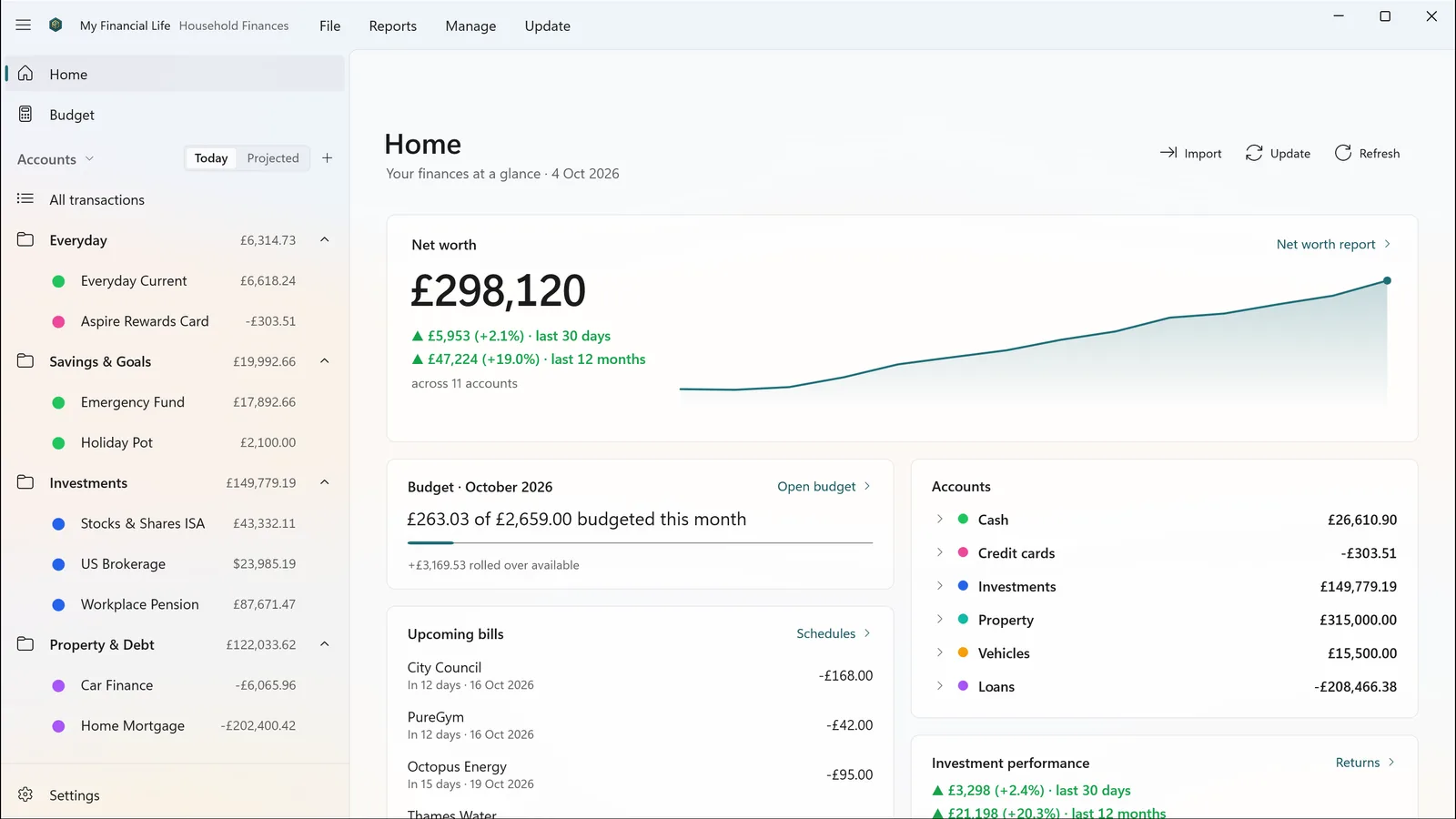
Your whole financial picture at a glance: net worth, budget, bills and investments.
Private by design
Everything lives in one file on your own PC. There is no account to create, no cloud service and no advertising. The app does not collect your data, track you or send anything to us. It goes online only if you set up optional price and exchange-rate updates with your own keys.
Built for complicated money
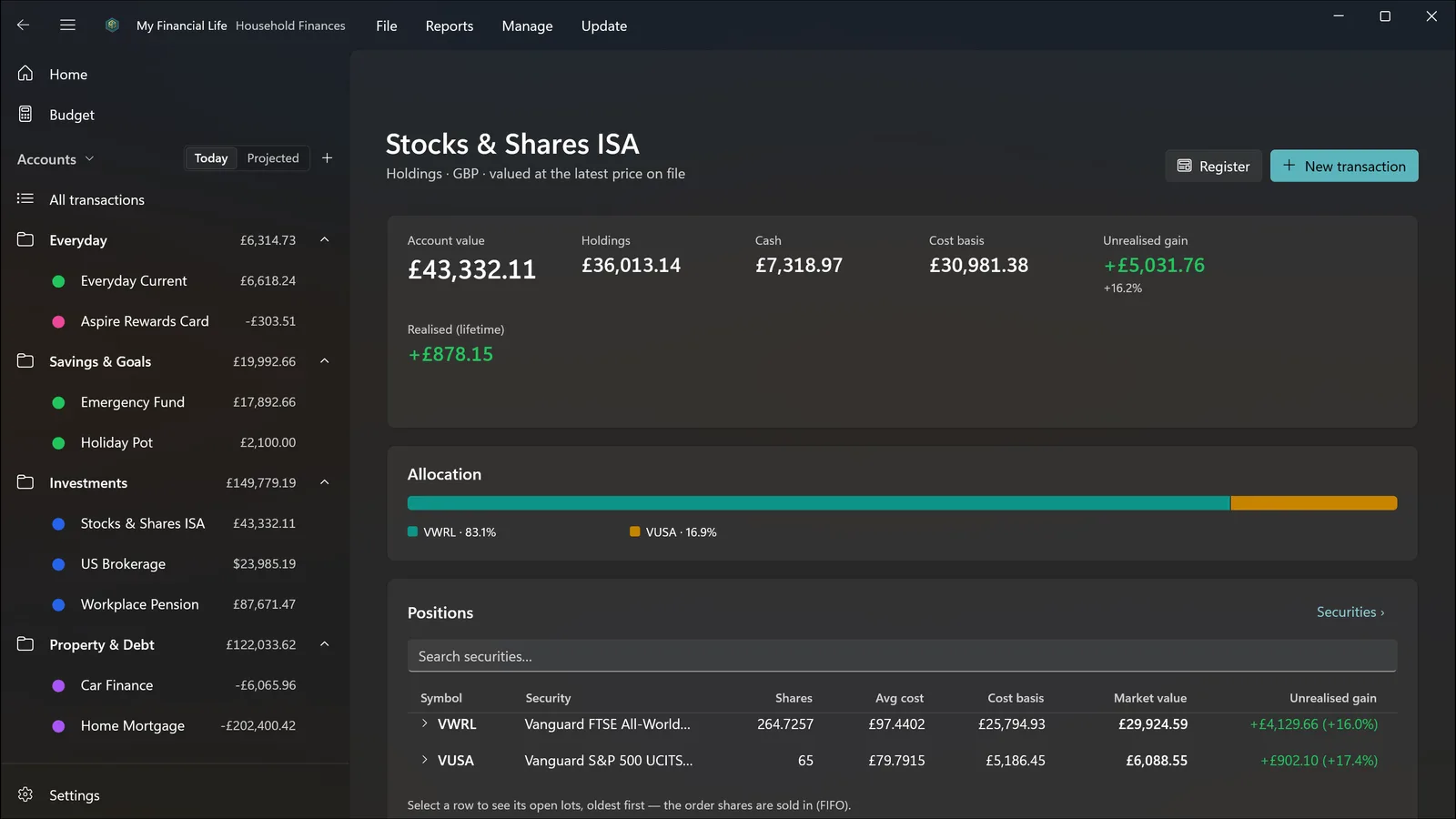
Current accounts, savings, credit cards, investments, pensions, property, vehicles, loans and mortgages. Several currencies, each converted at the rate for the date. Holdings with purchase lots, cost basis and real returns.
Buy once
A one-time purchase through the Microsoft Store. No subscription, no adverts, no in-app purchases and nothing held back for a higher tier. Updates arrive through the Store.
Yours to keep
One .mfl file, kept where you choose — your Documents folder by default. Copy it, back it up or move it like any other document. Uninstalling the app never deletes it.
What it does
For money that’s more complicated than one current account
Multiple accounts, multiple currencies, property, loans, and a portfolio with real holdings
and real cost bases — a complete picture, entirely on your own PC.
Cash flow
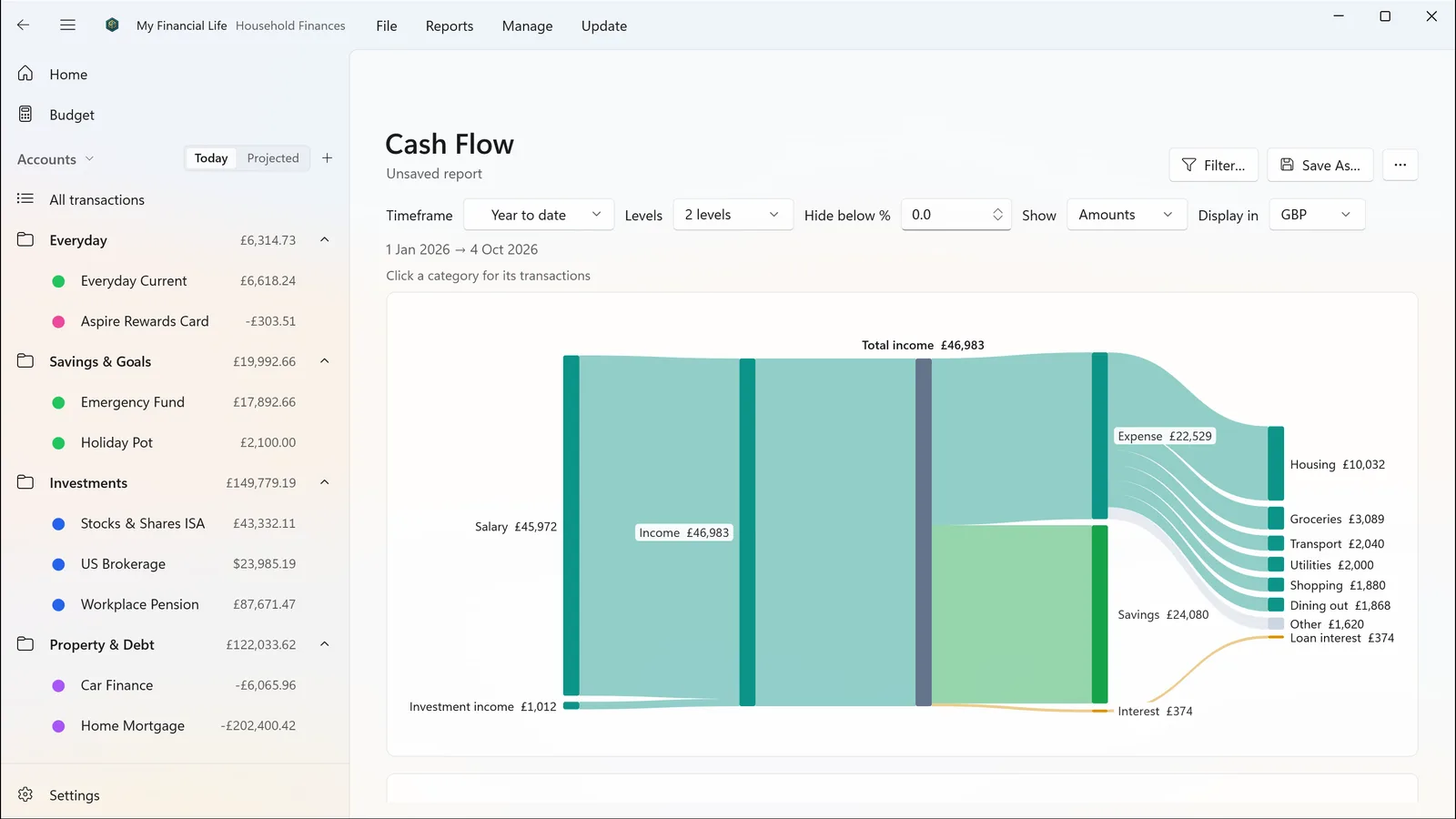
Where the money actually went
See where your money came from, what you kept and where the rest went. Click any figure to reach the transactions behind it.
Budgeting
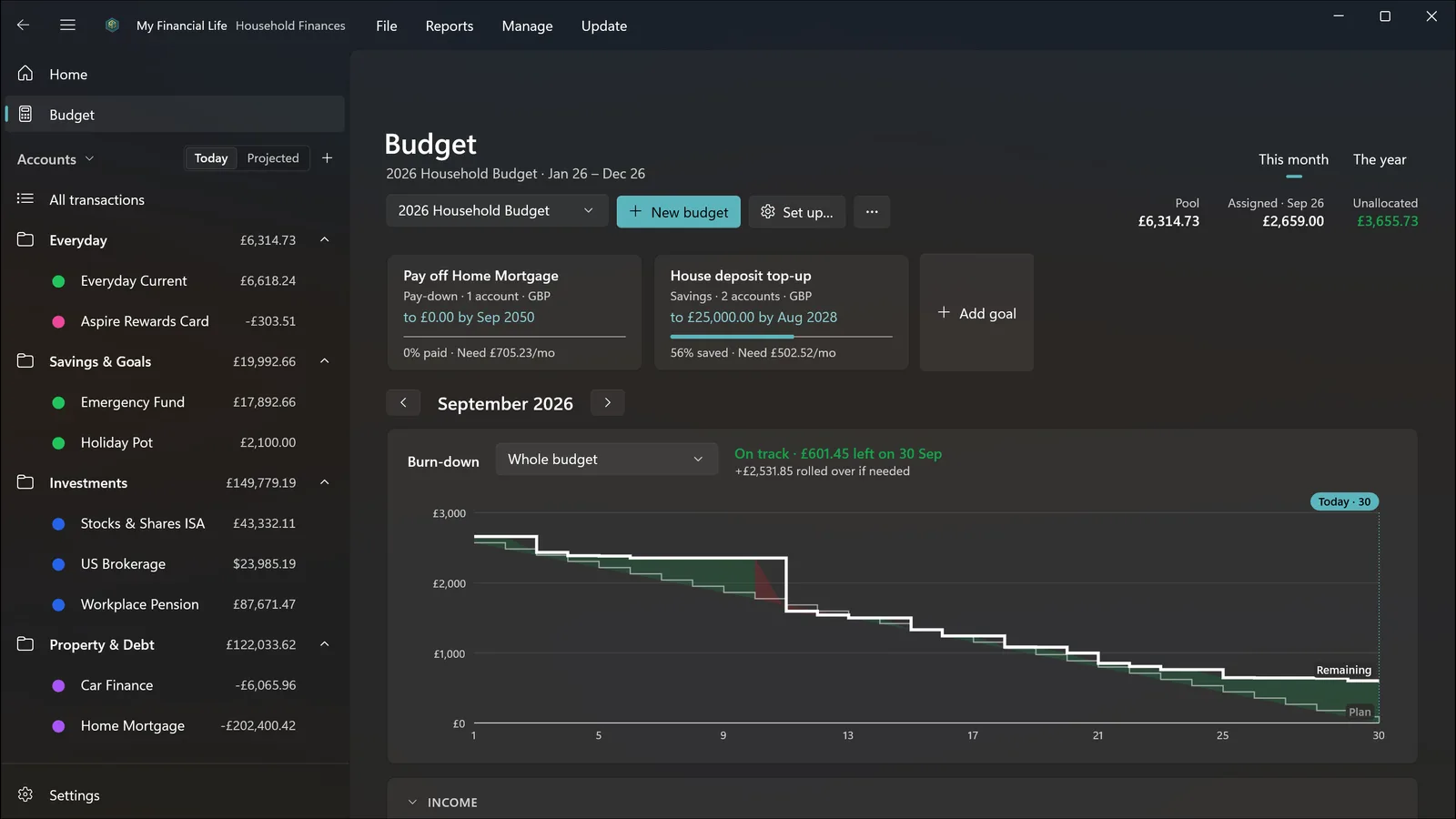
This month, burning down
Plan by month or across the year, set goals for saving or paying down a debt, and watch a burn-down chart that shows whether you are on track for the rest of the month.
Investments
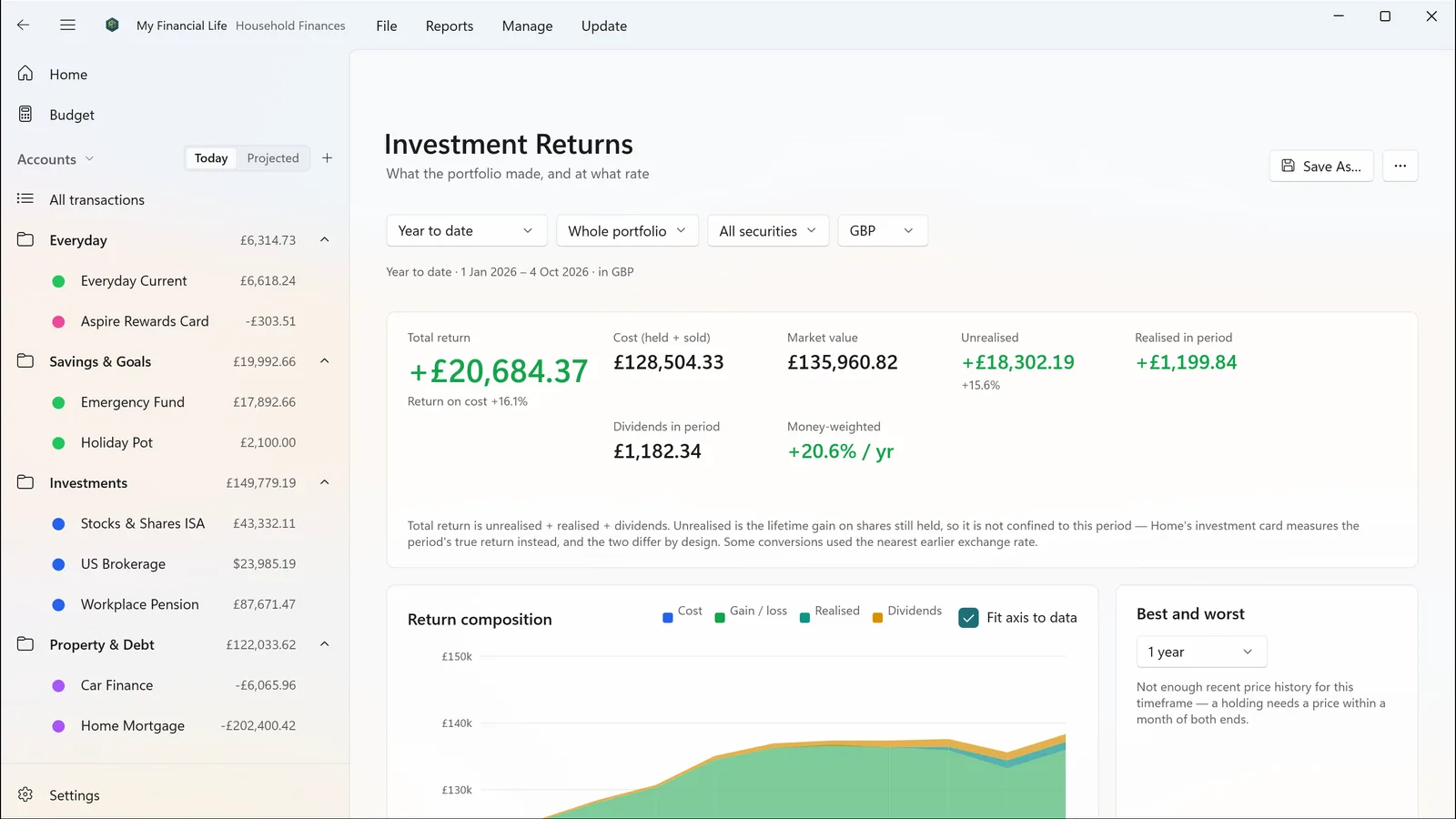
Real returns, not flattering ones
Buys, sells, dividends, reinvested dividends, share transfers and stock splits. Holdings with purchase lots, cost basis, realised and unrealised gains, and money-weighted returns over any period.
Light and dark themes that follow Windows, keyboard shortcuts throughout, any report or
account in its own window, recent files on the taskbar icon, and double-click a file to
open it. Lock it with Windows Hello if you like.
Also from Garelochsoft
My Retirement Life
Where My Financial Life tracks your money today, My Retirement Life projects it forward
through retirement — drawdown order, tax, inflation and life events — and answers whether
it lasts. The two are designed to exchange data, so a salary change or property sale
recorded here can feed the projection.