

Private by design
Everything lives in one file on your own PC. No account, no cloud service, no tracking and no advertising — the app sends nothing to us.
Accounts, budgets, investments and net worth in one private file that never leaves your computer. No subscription, no cloud account, no adverts.
One-time purchase · no account · works offline · x64 and ARM64
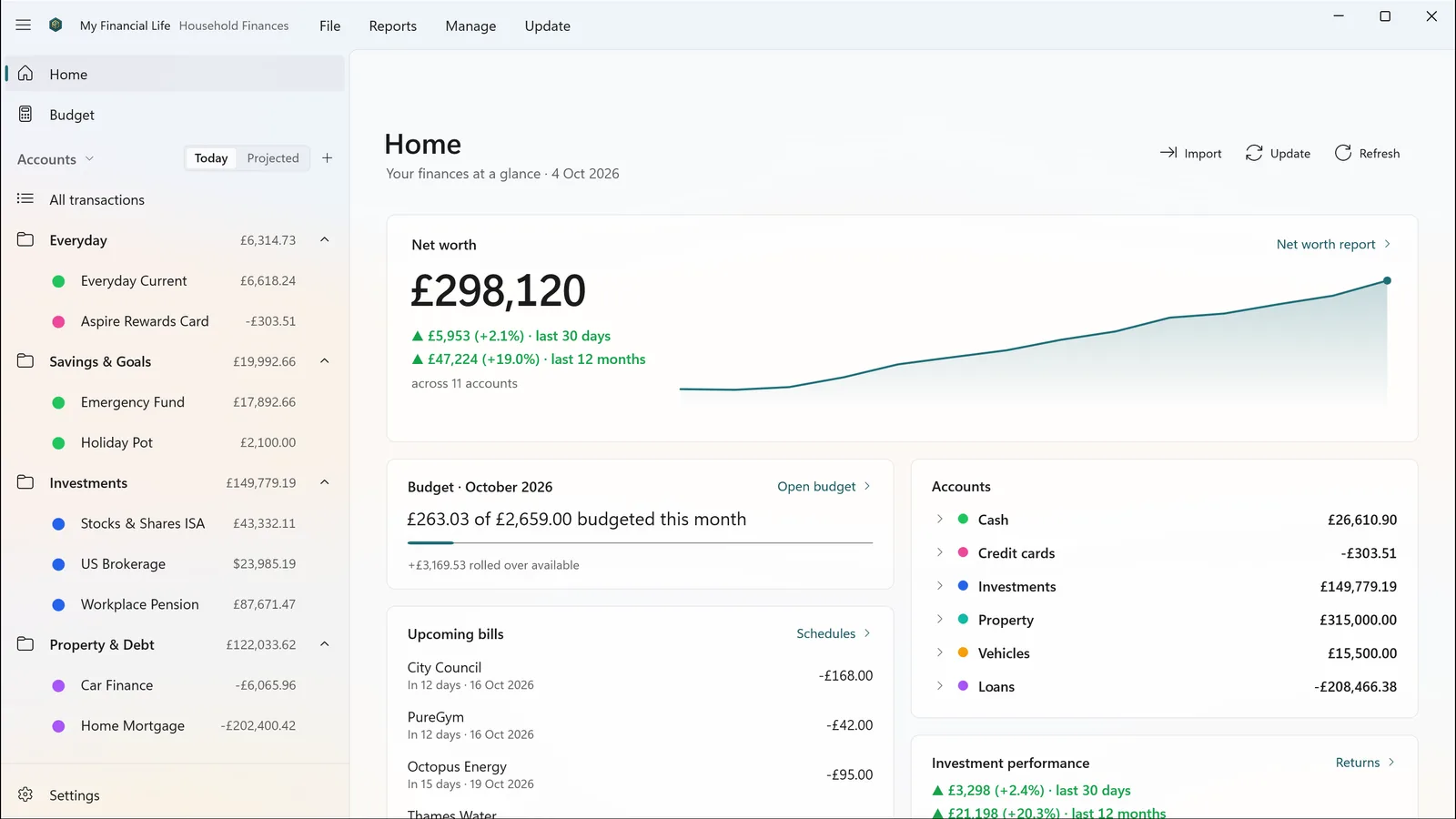
Everything lives in one file on your own PC. No account, no cloud service, no tracking and no advertising — the app sends nothing to us.
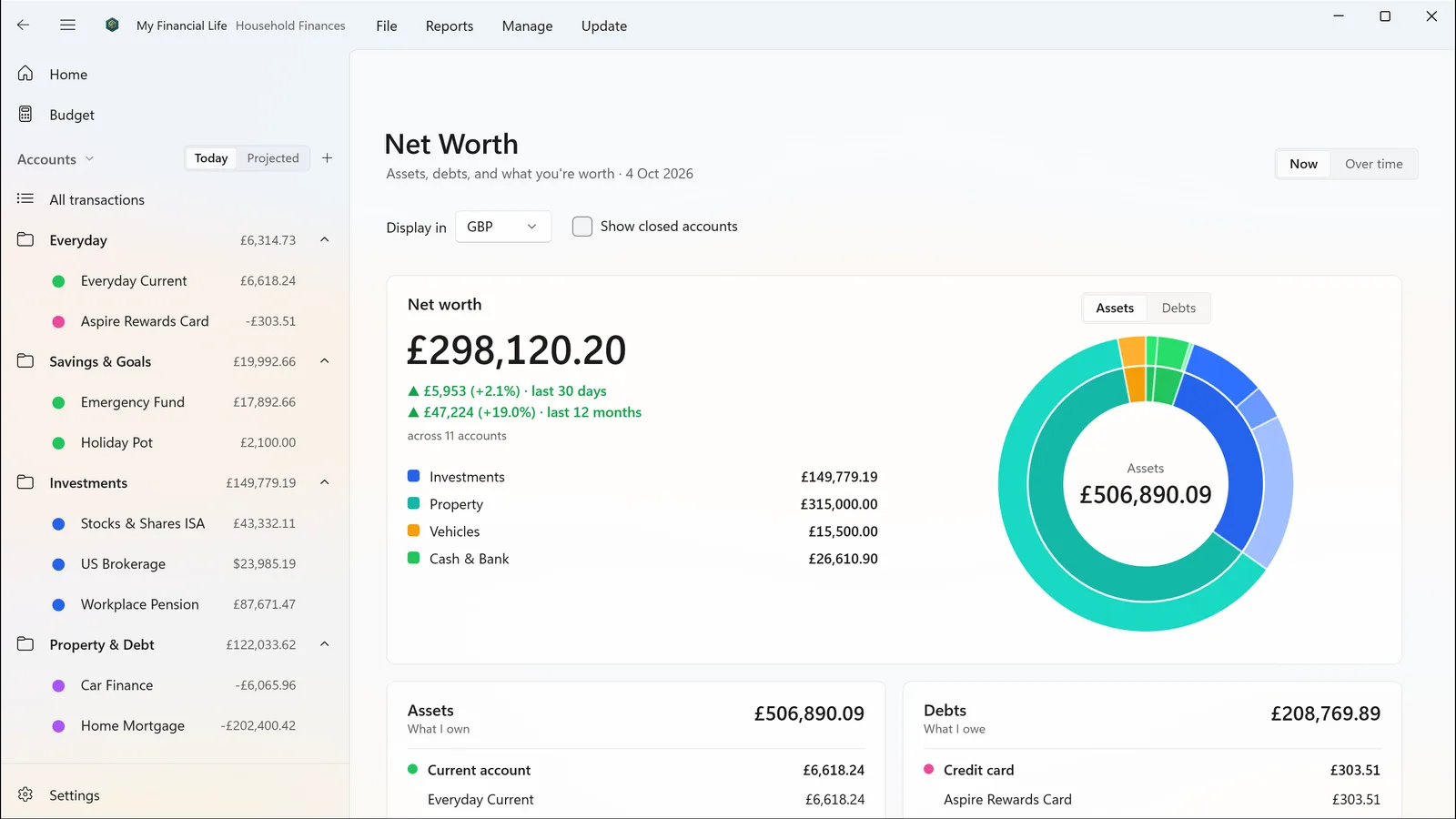
Several currencies, each converted at the rate for the date. Investments with purchase lots and cost basis. Pensions, property, vehicles, loans and mortgages.
A one-time purchase through the Microsoft Store. No subscription, no adverts, no in-app purchases.
It lives in a file you choose, and we never receive it. The app goes online only if you ask it to: if you add your own keys for price or exchange-rate updates, it sends those services ticker symbols or currency codes — never your balances, accounts or transactions.
.mfl file you can copy, back up or move like any other document.The details are in the privacy policy.
For people whose money is more complicated than one current account — multiple accounts, multiple currencies, property, loans, and a portfolio with real holdings and real cost bases.
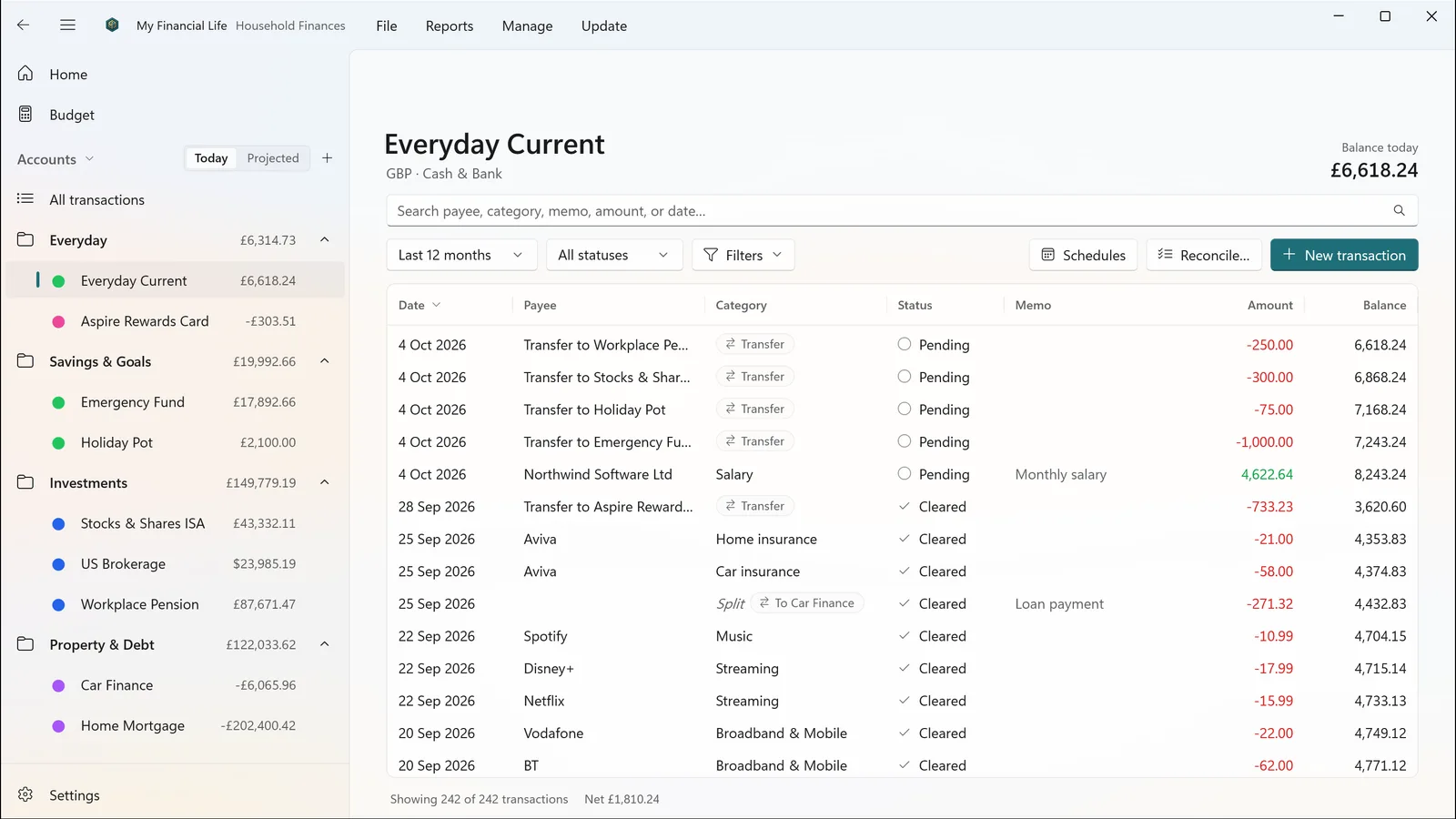
Just like a spreadsheet: payees and categories complete as you type, splits and transfers between accounts are built in, and you can search, filter and edit many transactions at once. It stays fast with tens of thousands of transactions.
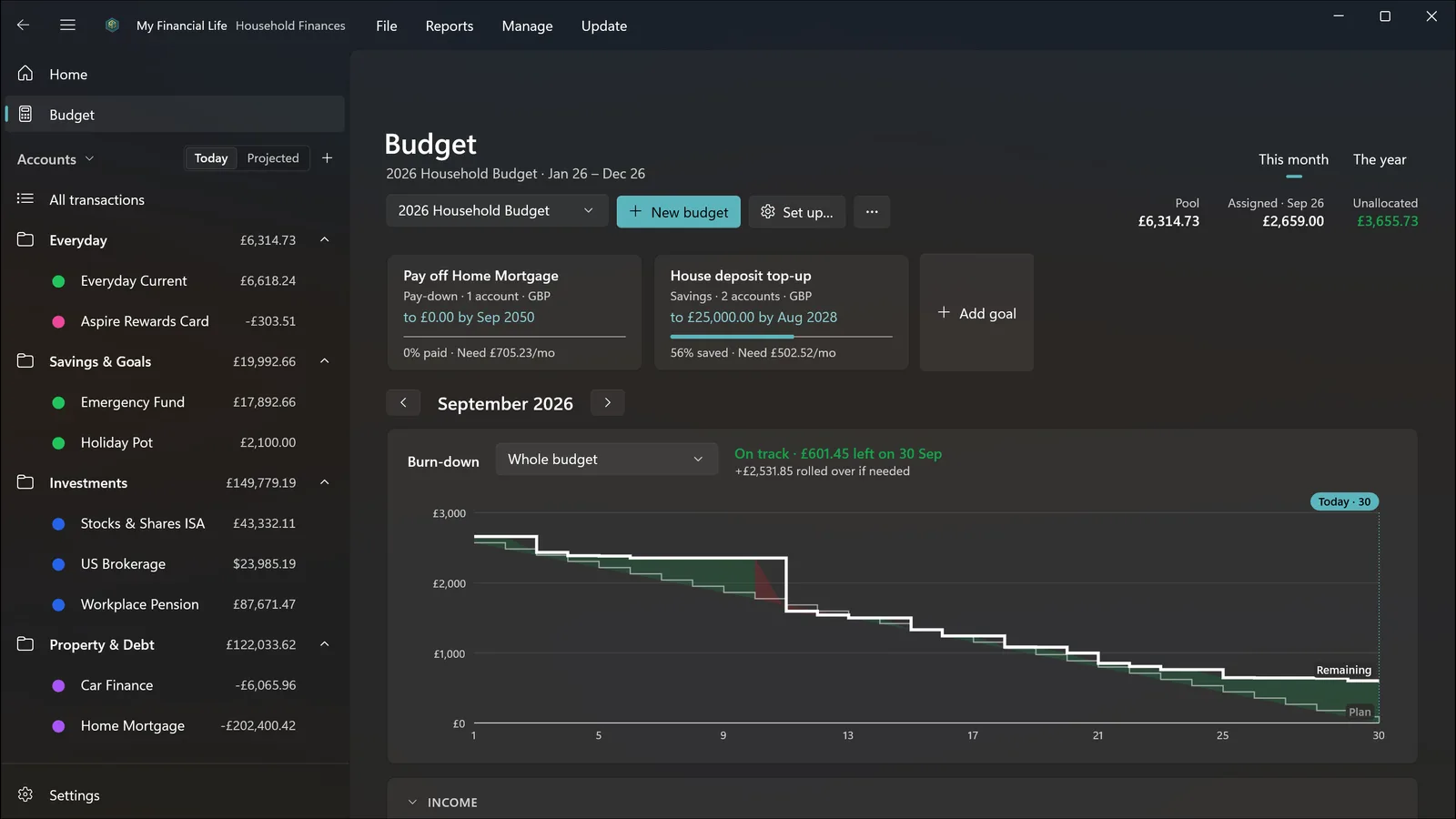
Plan by month or across the year, set goals for saving or paying down a debt, and watch a burn-down chart that shows whether you are on track for the rest of the month.
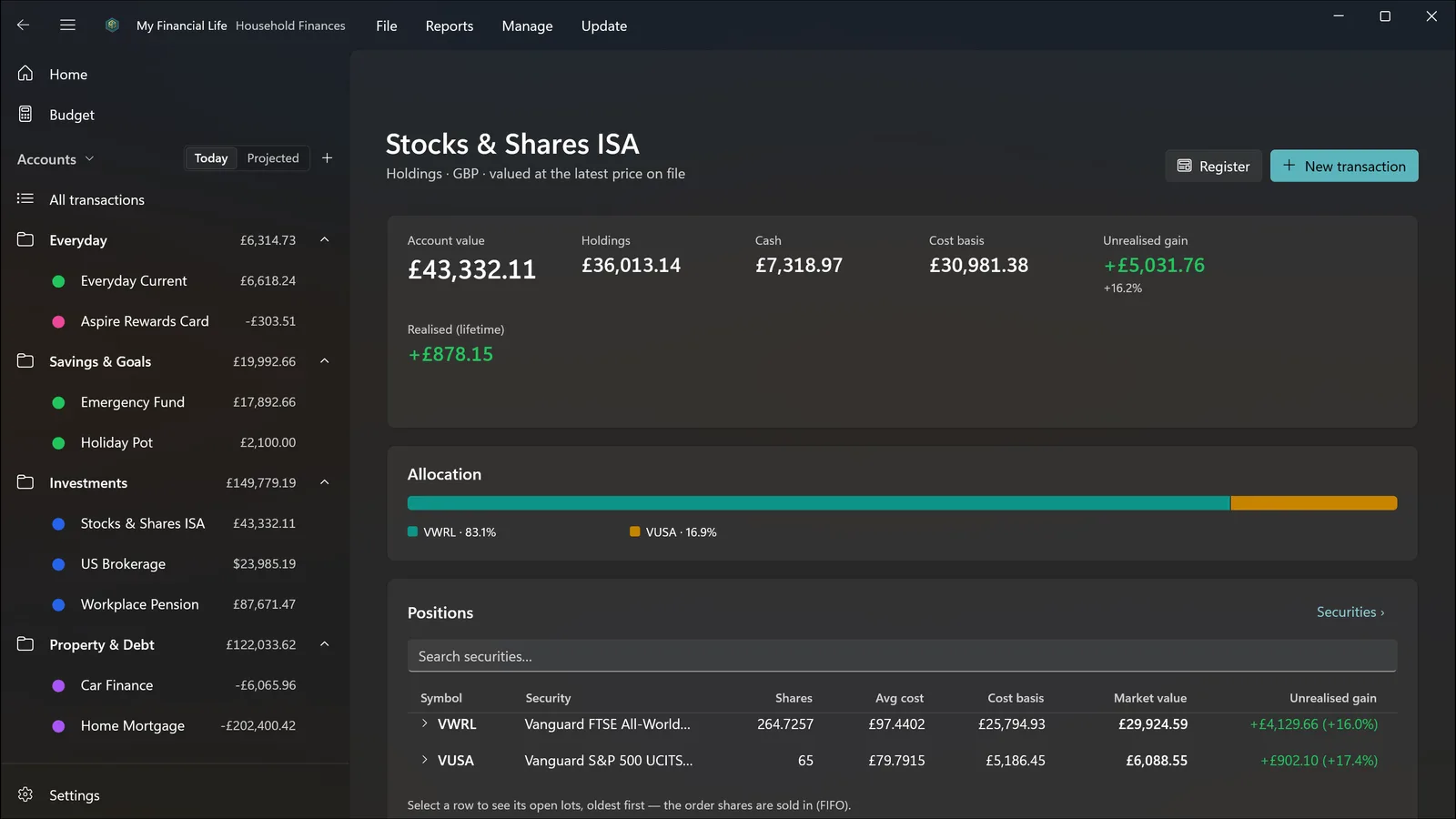
Record buys, sells, dividends, reinvested dividends, share transfers and stock splits. See holdings with their purchase lots, cost basis, unrealised and realised gains, money-weighted returns and income. Prices and exchange rates can update automatically with your own free keys from Tiingo and Open Exchange Rates, or be entered by hand.
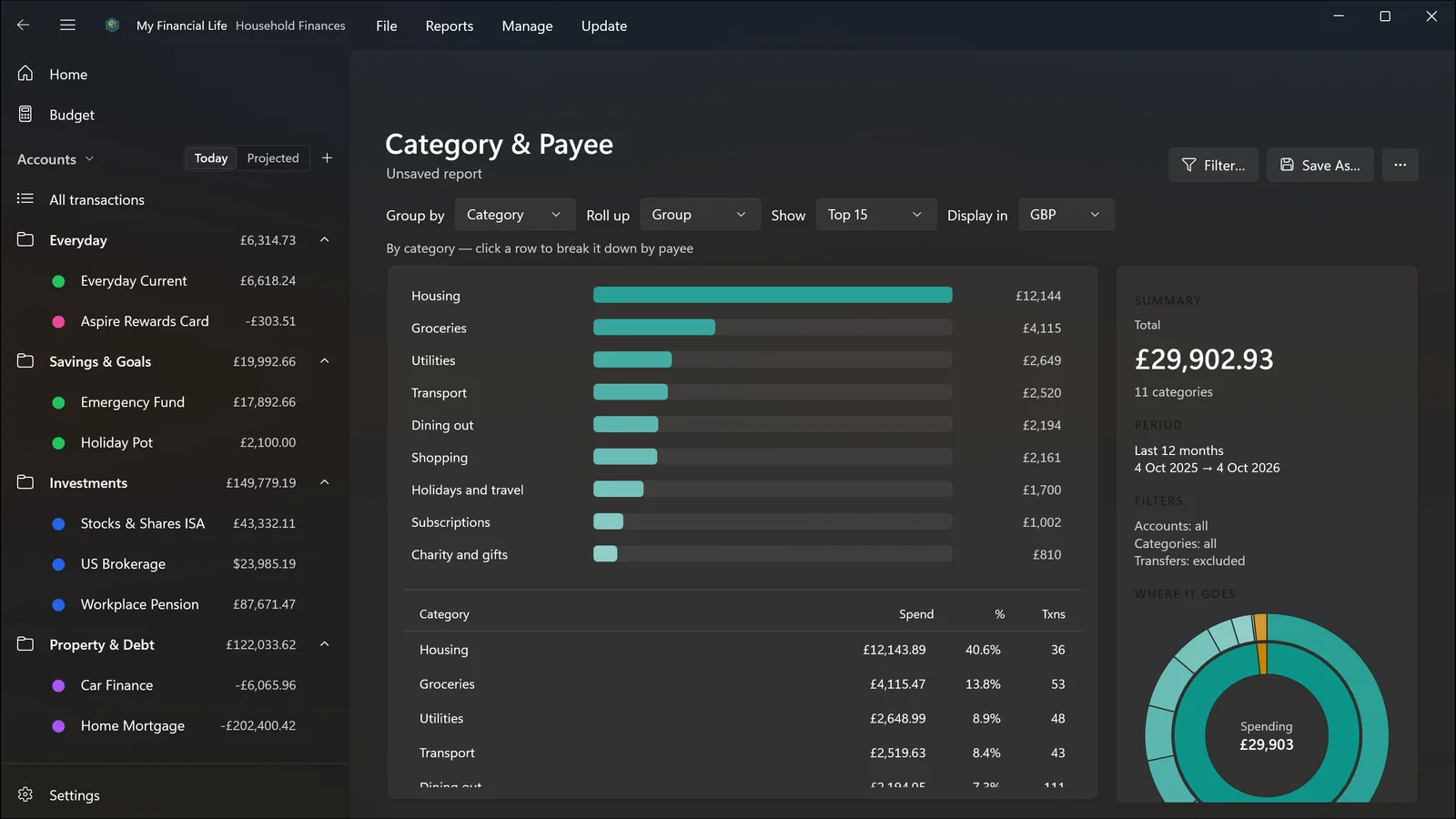
Net Worth now and over time, Cash Flow, Income & Expense, Spending and Income Over Time, Category & Payee, Account Summary, Investment Returns and Investment Income. Filter and save them, and click a figure to see the transactions behind it.
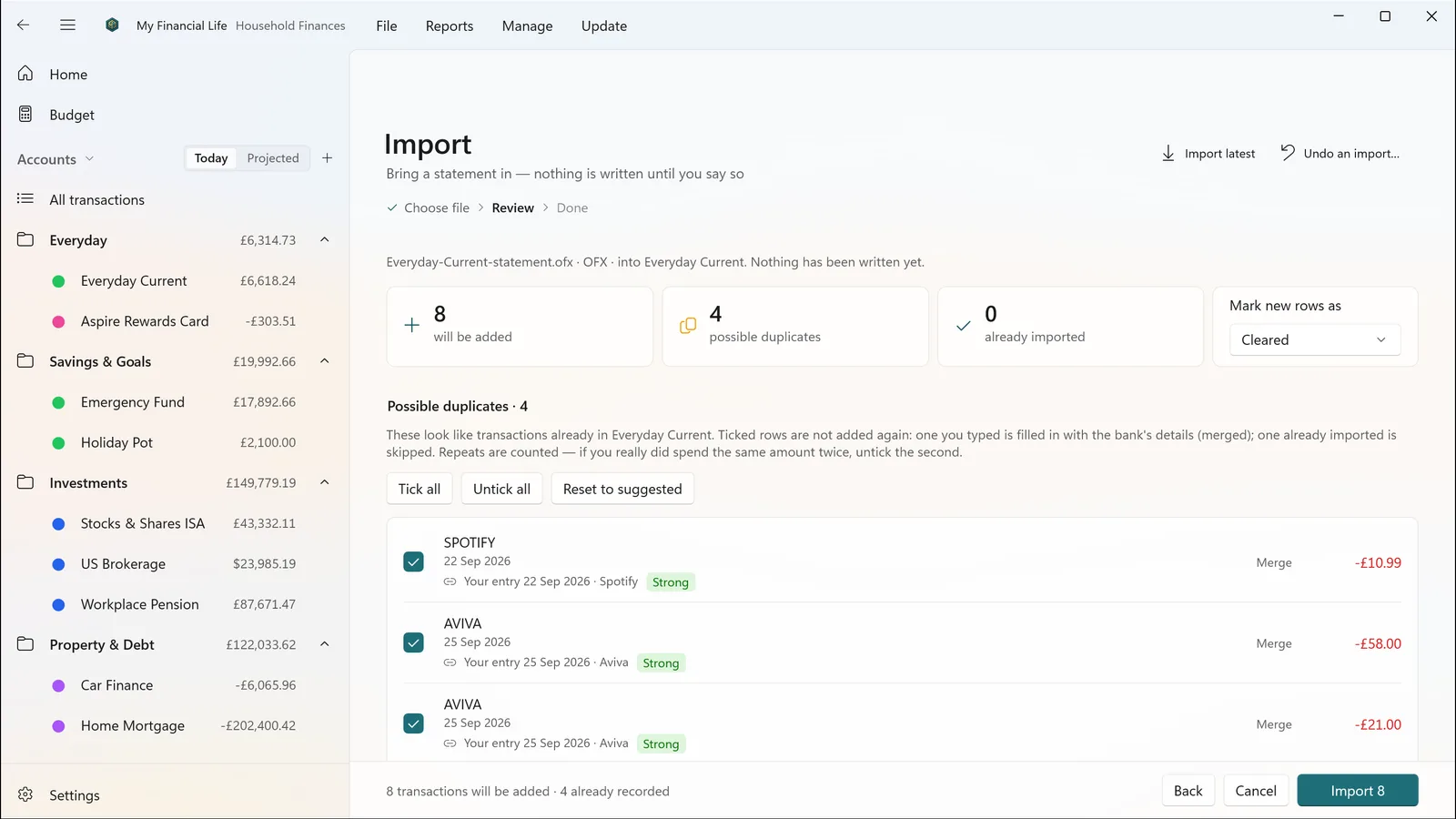
Bring in statements downloaded from your bank as OFX, QFX, QIF or CSV. Nothing is written until you have reviewed it: transactions you already entered are matched, duplicates are flagged, and rules file payees and categories for you next time. Changed your mind? Undo the whole import.
Schedules for regular bills and income, with reminders. Reconcile an account against its statement and tick items off until nothing is missing. A Loans page shows what you owe, the payment schedule and when each loan ends.
Hold accounts and investments in different currencies, each converted at the rate for the date, so last year’s figures stay right.
Automatic snapshots while you work, one-click restore (which takes a safety snapshot first) and named copies you can keep. A file is backed up before it is ever upgraded.
My Financial Life does not connect to your bank. You bring transactions in by downloading statements from your bank’s website and importing them, or by typing them.
Choose Explore with sample data on the welcome page to look around a made-up household’s finances — accounts, a portfolio, a mortgage and a budget. Change anything you like, and reset it whenever you want. Your own file is never touched.

My Financial Life is your money today. My Retirement Life projects it forward through retirement, drawdown and tax. The two are designed to exchange data, so a salary change or property sale recorded here can feed the projection — as a file you choose to move, never a server sync.
My Financial Life 1.0.0 for Windows 11, on x64 and ARM64 PCs — a one-time purchase through the Microsoft Store. A Mac App Store version is coming later.