

1. Look around
The welcome page offers Explore with sample data: an invented household you can change freely and reset at any time.
Version 1.0.0. A one-time purchase from the Microsoft Store — no subscription, no account, nothing to renew. The Store shows the price in your currency.
The listing isn’t live yet. This page will link to it the day it is.
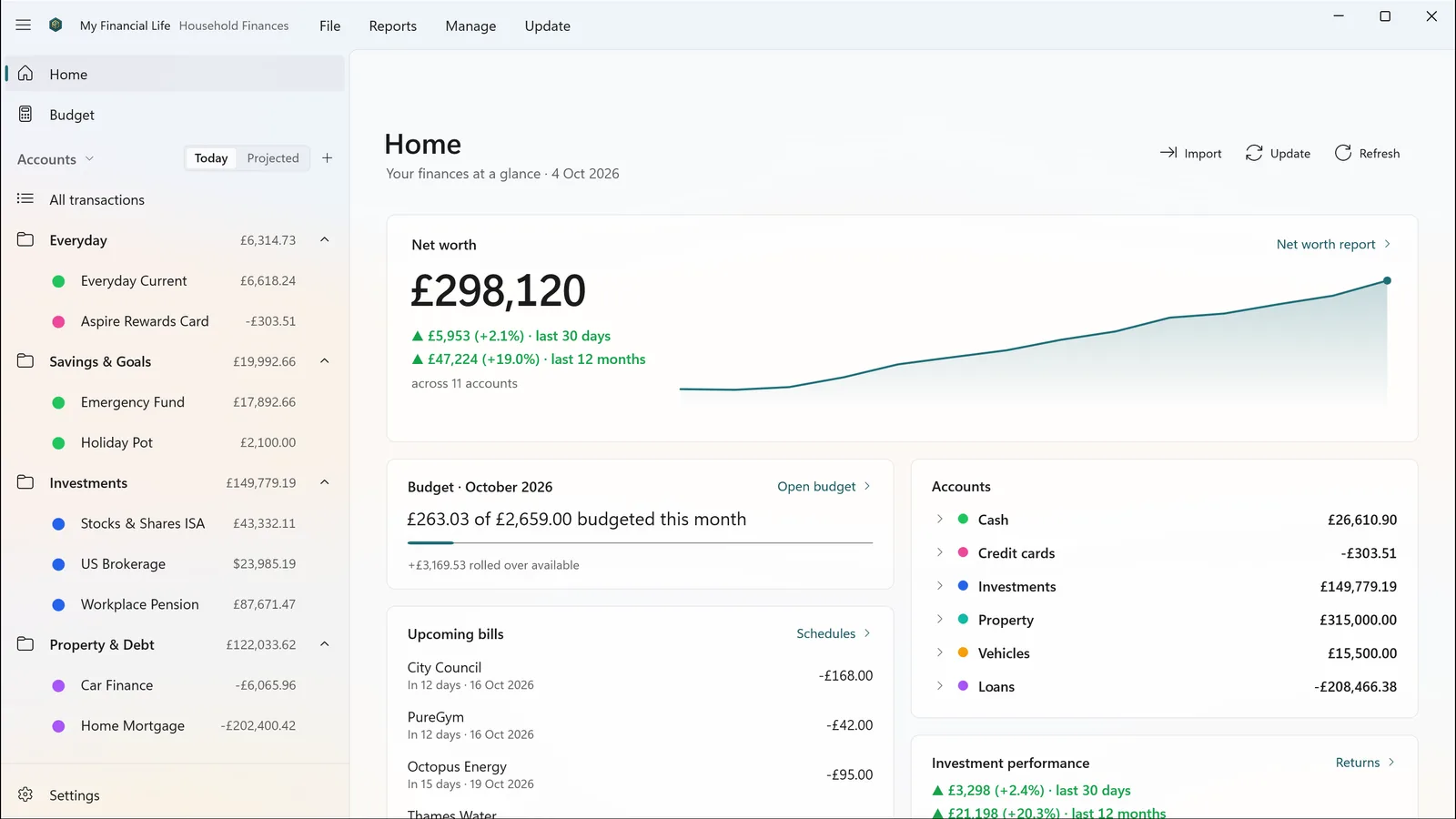
The welcome page offers Explore with sample data: an invented household you can change freely and reset at any time.
Choose New to create your own .mfl file — in
Documents\My Financial Life unless you pick somewhere else — or Open
one you already have.
Download a statement from your bank’s website as OFX, QFX, QIF or CSV, import it, and review it before anything is saved.
Microsoft handles the purchase, payment and licence, and the purchase belongs to your Microsoft account, under the Store’s own terms. Updates arrive through the Store like any other app. Refund requests go through Microsoft — see the support page.
A Mac version is coming later, through the Mac App Store. There’s no date yet, and we’d
rather not guess. It will open the same .mfl file as the Windows app.
No dates, because none of this is a promise.
My Financial Life for Mac, through the Mac App Store. It opens the same .mfl file as the Windows app.
Not in version 1.0. Today you download statements from your bank’s website and import them — OFX, QFX, QIF or CSV.