Skip to content
Features

Everything in the box

One purchase, every feature — no tiers, no add-ons, no subscription. Here’s the whole thing, grouped the way the app is.

See everything at once

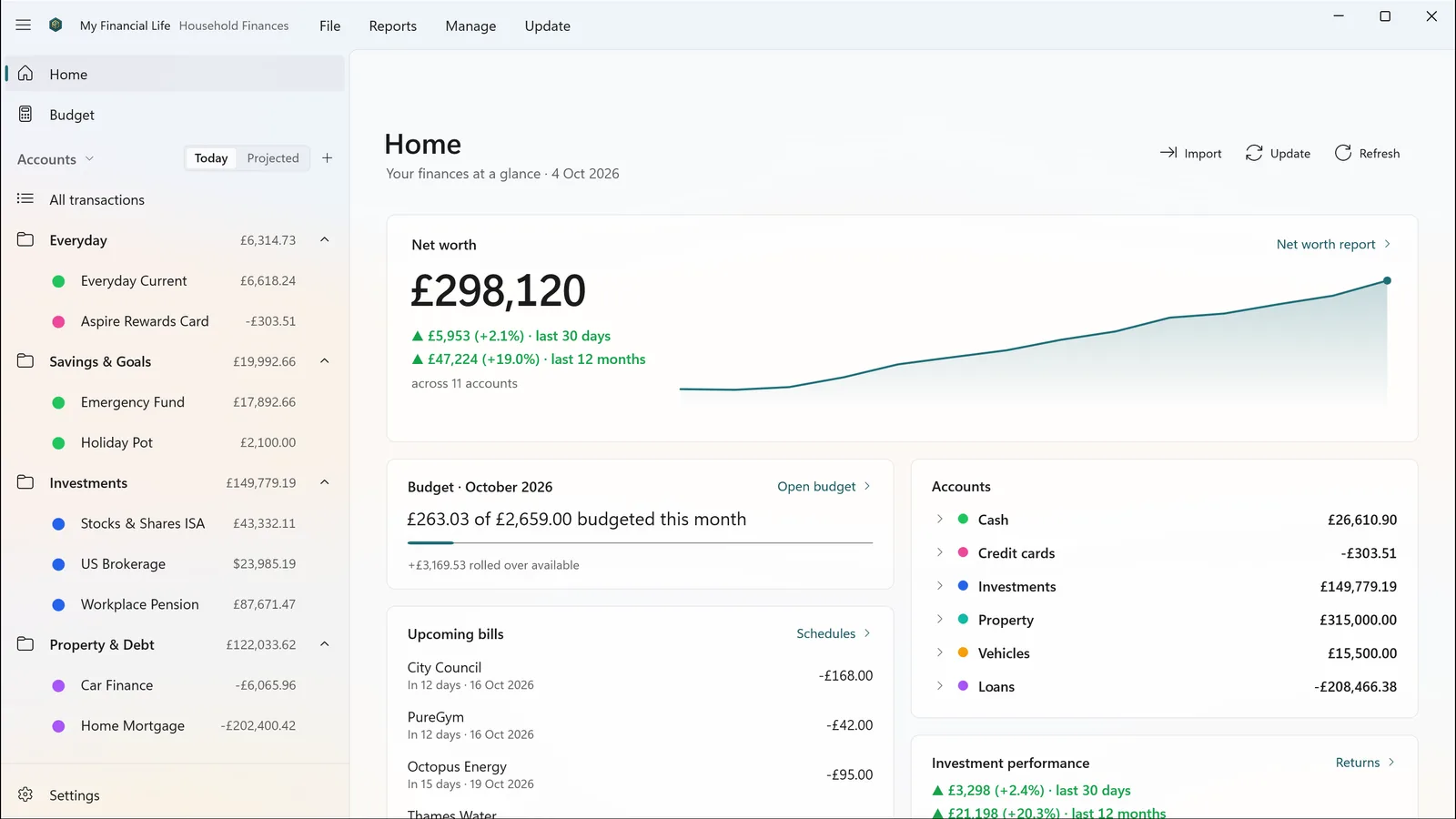
Home gives you your net worth, this month’s budget, the bills coming up and how your investments are doing — and every figure opens the detail behind it. See today’s balances, or where they will be once scheduled bills are paid.

  • Net worth & trend
  • Budget progress
  • Upcoming bills
  • Investment performance
The Home page: net worth with a twelve-month trend, this month’s budget, upcoming bills and account totals.

Your accounts in one place

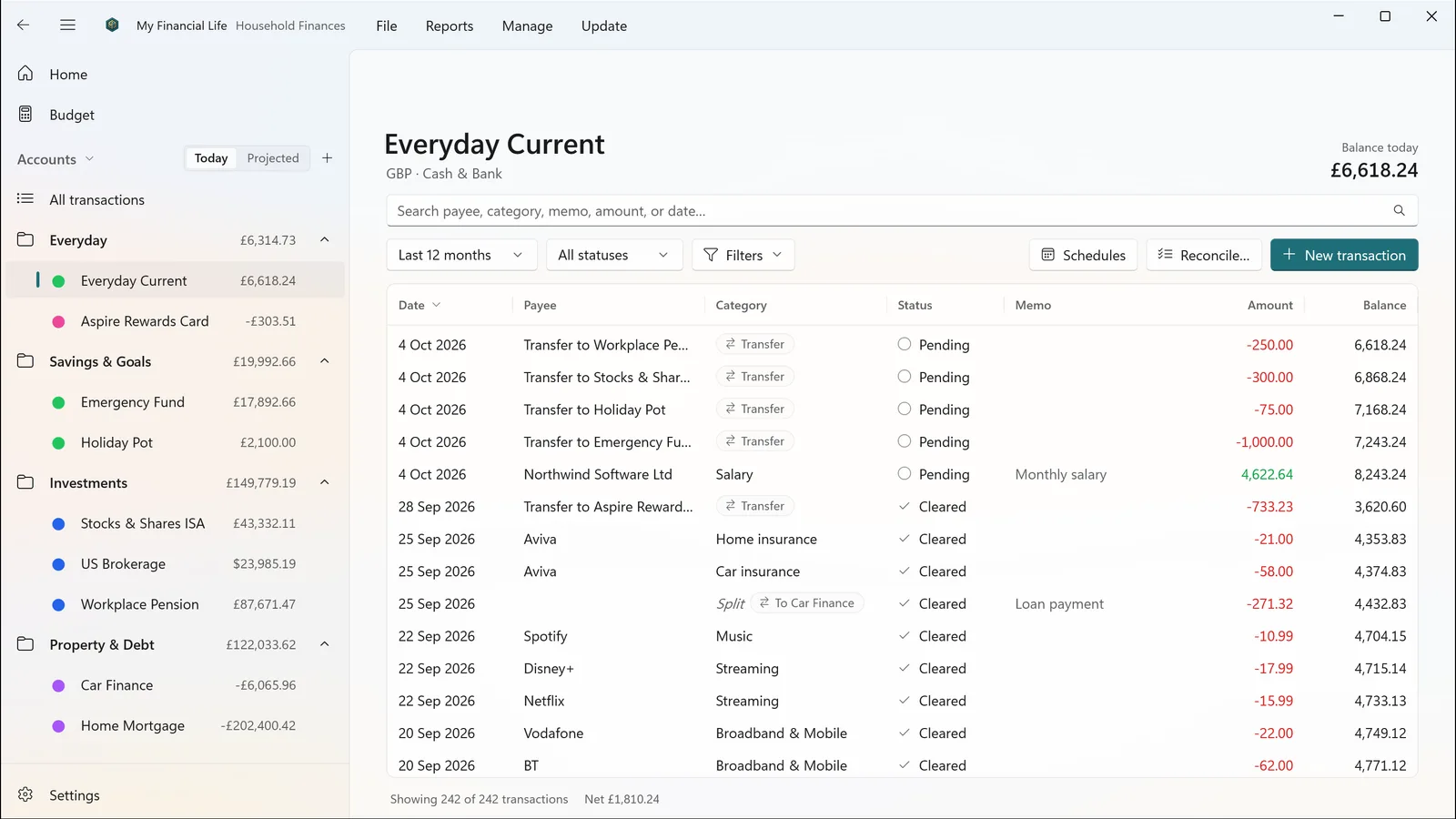
Current accounts, savings, credit cards, investments, pensions, property, vehicles, loans and mortgages, organised into folders you choose. Type straight into the register, just like a spreadsheet: payees and categories complete as you type, splits and transfers between accounts are built in, and you can search, filter and edit many transactions at once.

  • Folders you choose
  • Type-ahead payees & categories
  • Splits & transfers
  • Bulk edit
  • Fast with tens of thousands of rows
An account register with dated payees, categories, cleared status and a running balance.

Import your statements

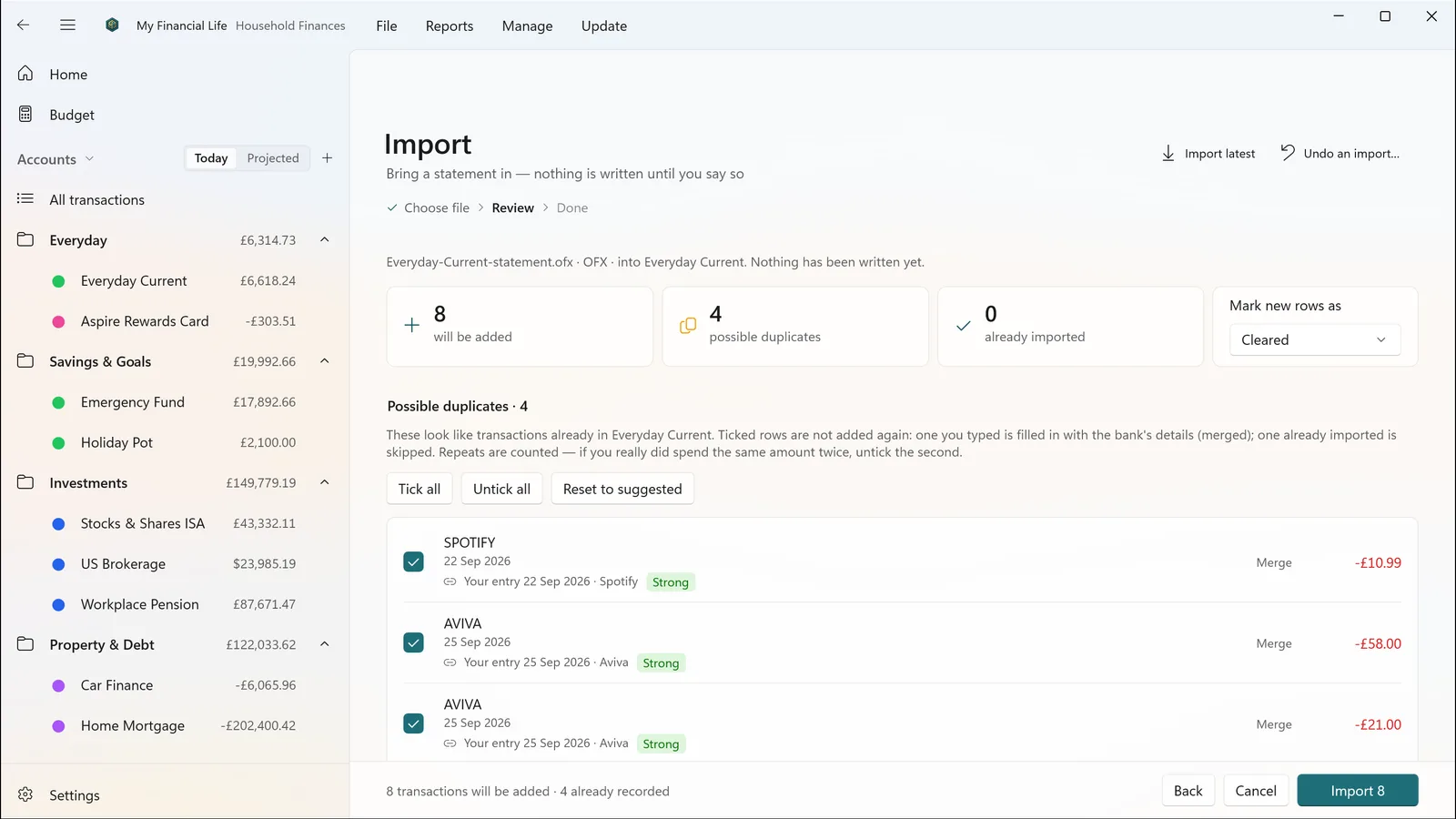
Bring in statements downloaded from your bank as OFX, QFX, QIF or CSV. Nothing is written until you have reviewed it: transactions you already entered are spotted and matched, duplicates are flagged, and rules file payees and categories for you next time. Changed your mind? Undo the whole import.

  • OFX · QFX · QIF · CSV
  • Review before saving
  • Duplicate detection
  • Rules & payee aliases
  • Undo import

My Financial Life does not connect to your bank. You download statements from your bank’s website and import them, or type transactions in.

The import review page listing statement lines, with duplicates and matches marked before anything is saved.

Budgets that show where you are

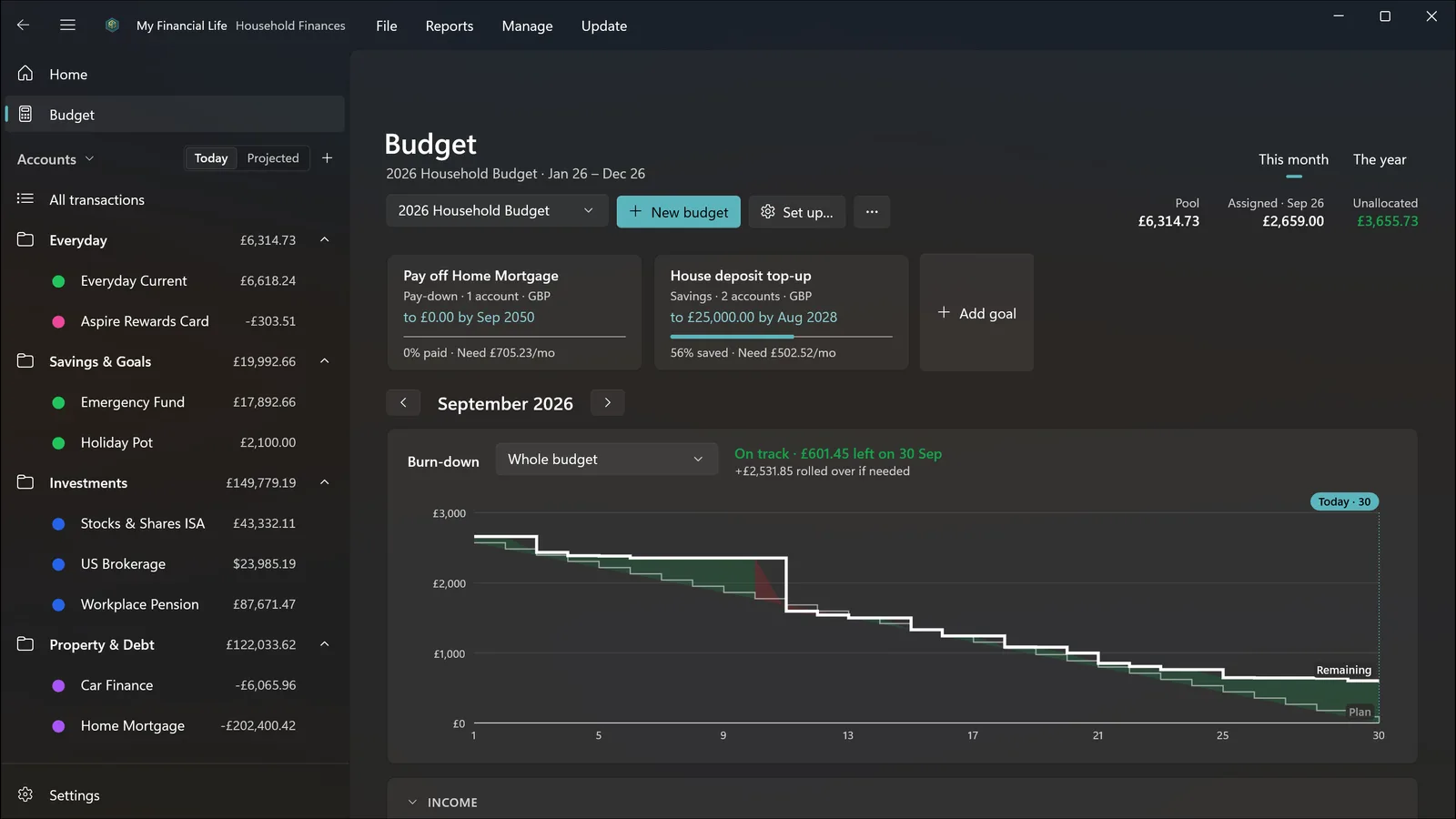
Plan by month or across the year, set goals for saving or paying down a debt, and watch a burn-down chart that shows whether you are on track for the rest of the month. A budget line can become a scheduled bill.

  • Monthly & yearly
  • Saving & pay-down goals
  • Burn-down chart
  • Drill into any figure
The Budget page in dark theme, with two goals and a burn-down chart against plan.

Where the money went

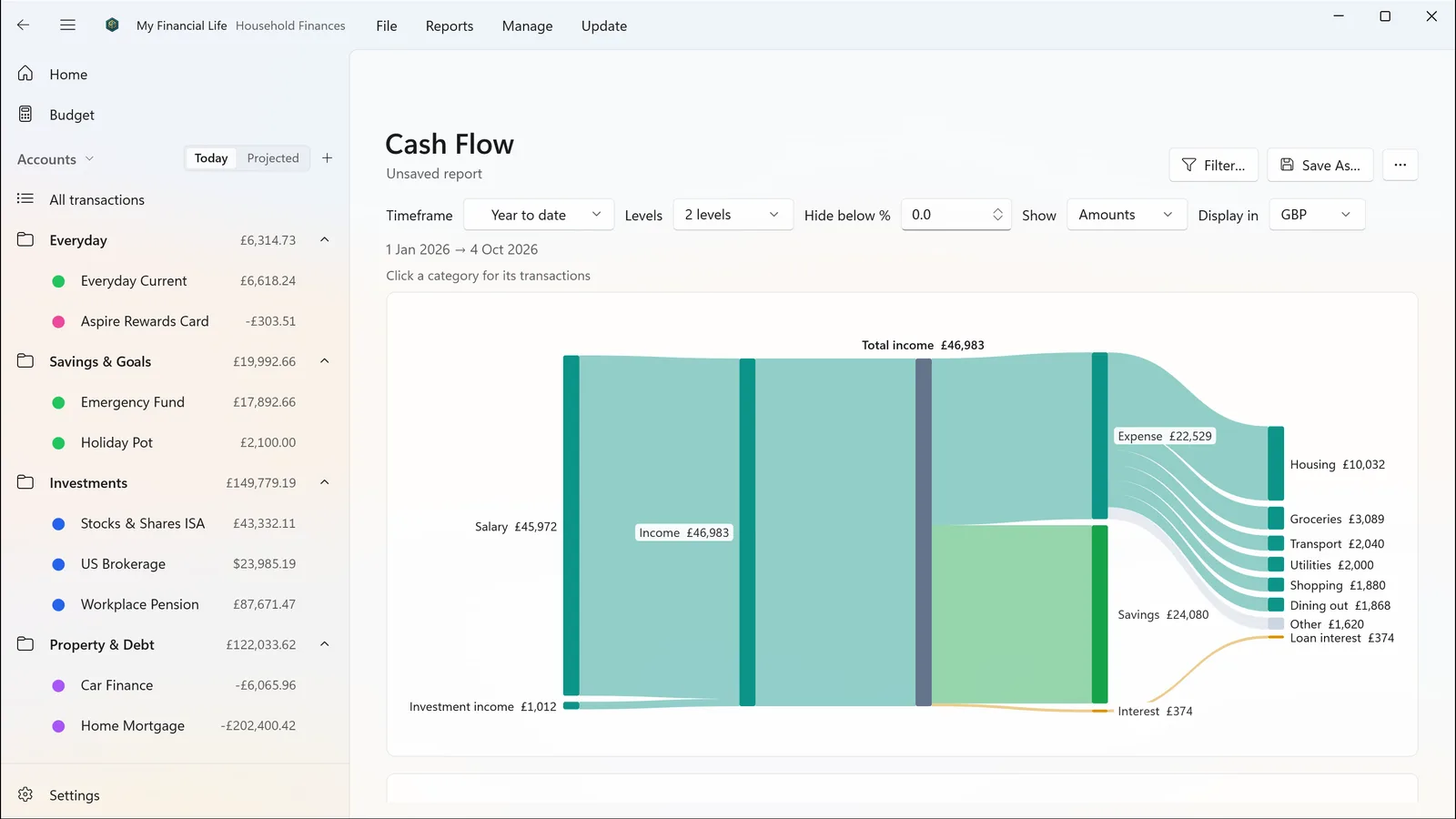
Cash Flow shows where the money came from, what you kept and where the rest went, in one picture.

  • Income to spending to savings
  • Click through to transactions
The Cash Flow report: a diagram tracing income through spending categories to savings.

Reports that answer real questions

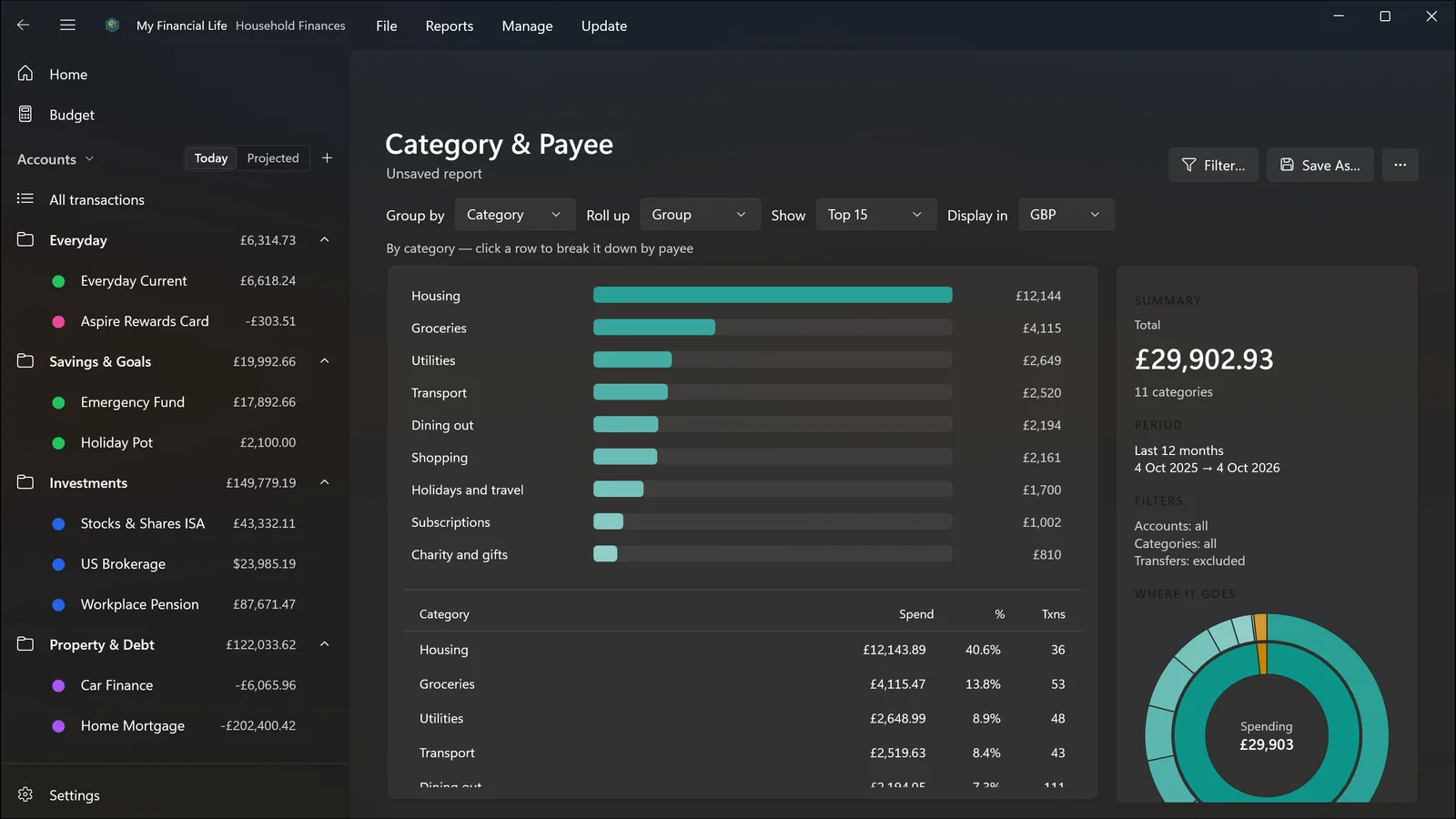
Net Worth now and over time, Cash Flow, Income & Expense, Spending and Income Over Time, Category & Payee, Account Summary, Investment Returns and Investment Income. Filter and save them, export the spending and income reports to CSV, and click a figure to see the transactions behind it.

  • Saved reports
  • Filters
  • CSV export (spending & income)
  • Drill-through everywhere
The Category & Payee report in dark theme, showing spending by category and payee.

What you own and owe

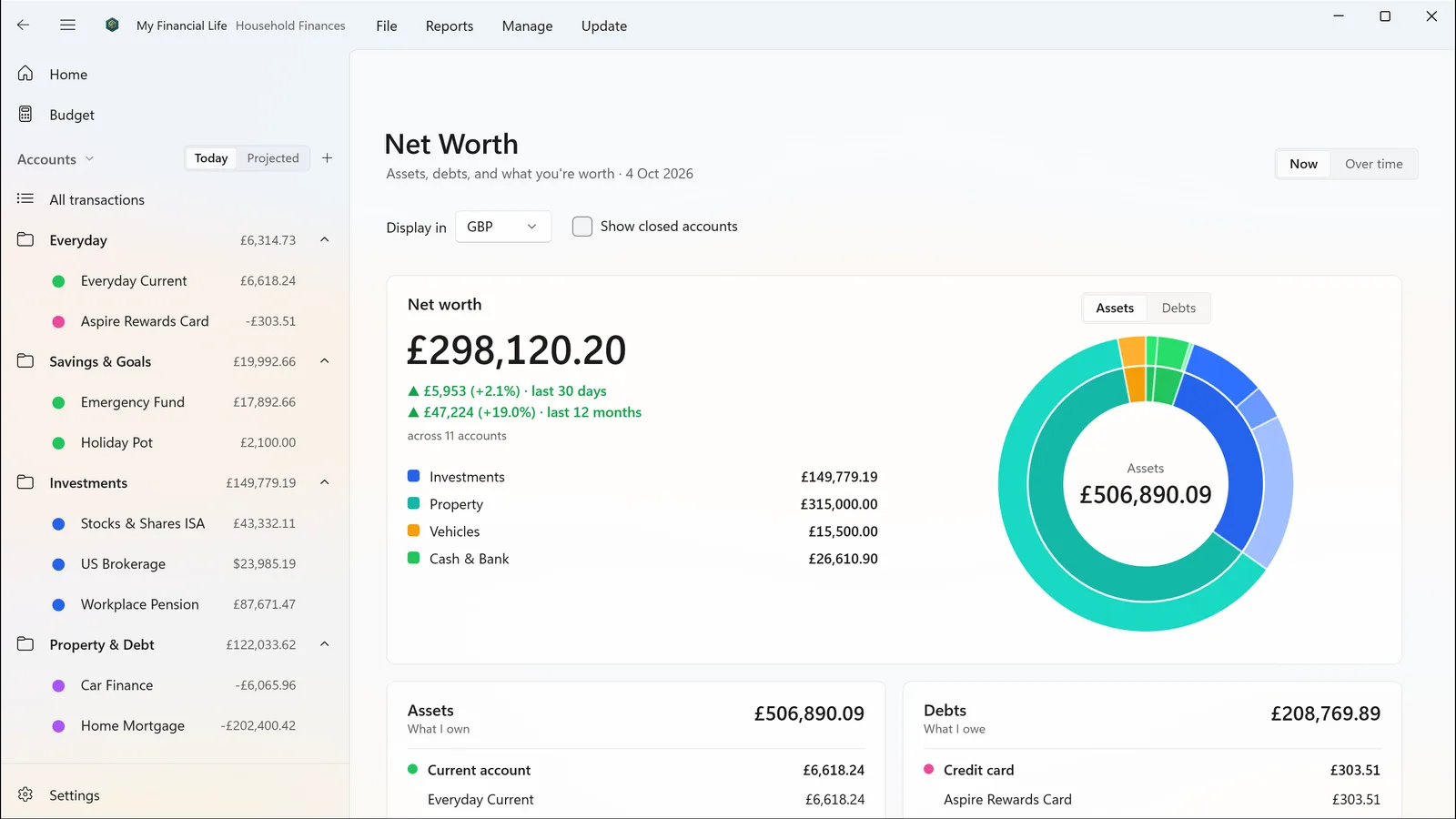
Net worth across every account — cash, investments, property, vehicles and debts — now and over time.

  • Assets & debts
  • Over time
  • In your home currency
The Net Worth report across cash, investments, property, vehicles and debts.

Investments, properly

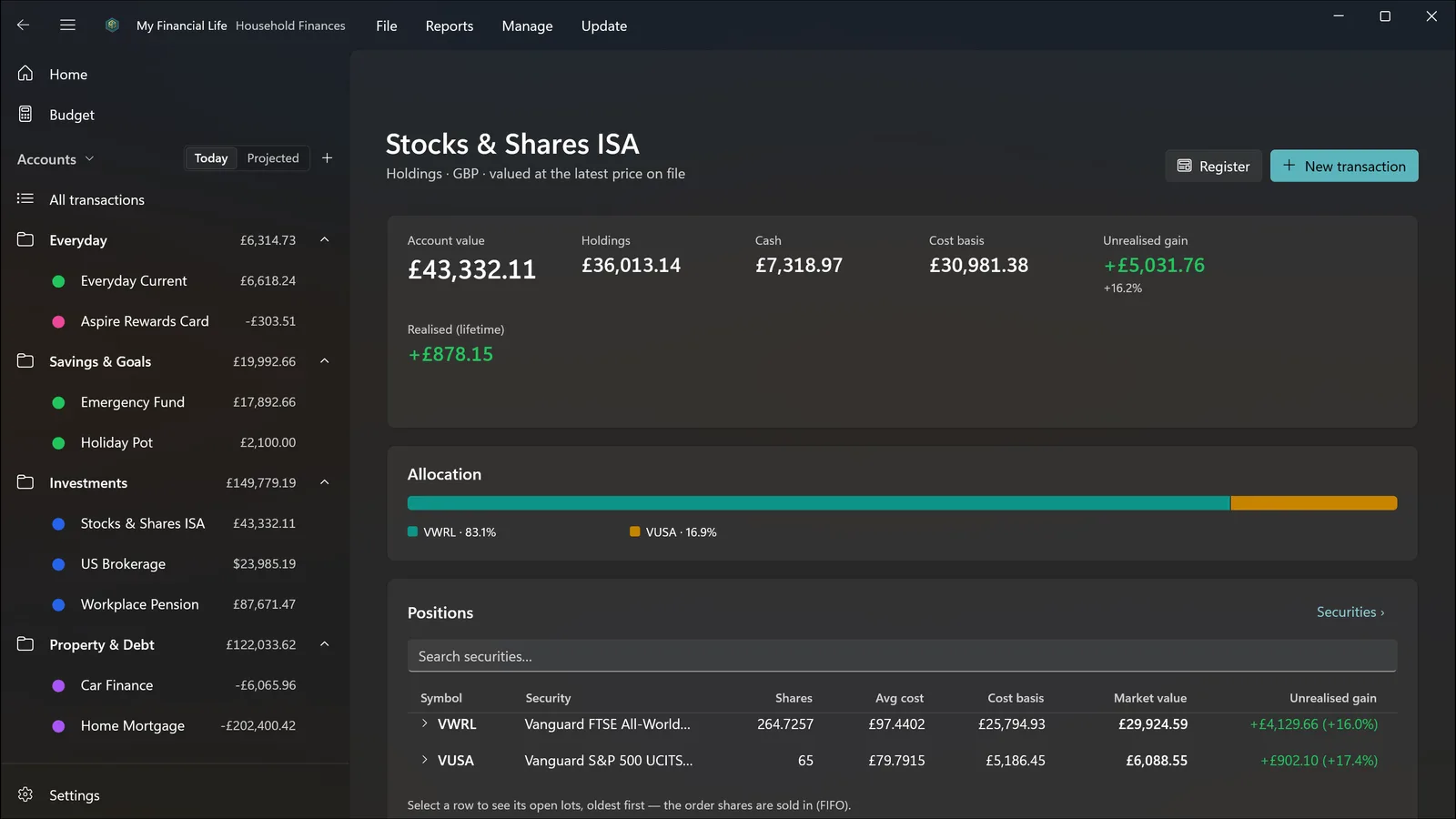
Record buys, sells, dividends, reinvested dividends, share transfers and stock splits. See holdings with their purchase lots, cost basis, and unrealised and realised gains.

  • Purchase lots
  • Cost basis
  • Realised & unrealised gains
  • Dividend income
Investment holdings in dark theme, with cost basis, gains and purchase lots for each security.

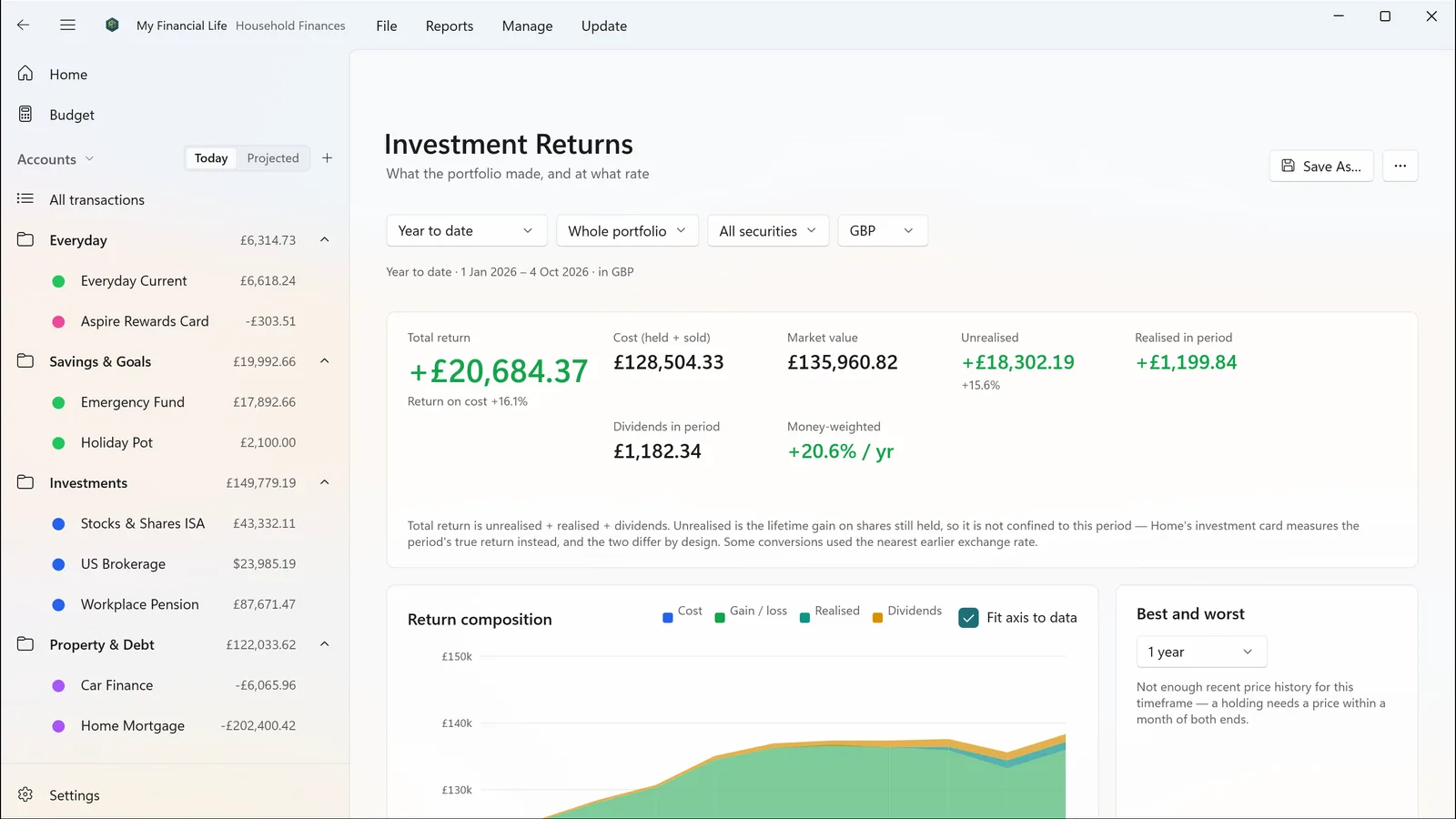
Returns over any period

Investment returns, dividends and money-weighted performance over any period. Prices and exchange rates can update automatically with your own free keys from Tiingo and Open Exchange Rates, or be entered by hand.

  • Money-weighted returns
  • Investment income
  • Automatic prices with your own key
The Investment Returns report with a performance chart and a returns table per holding.

Stay on top of the routine

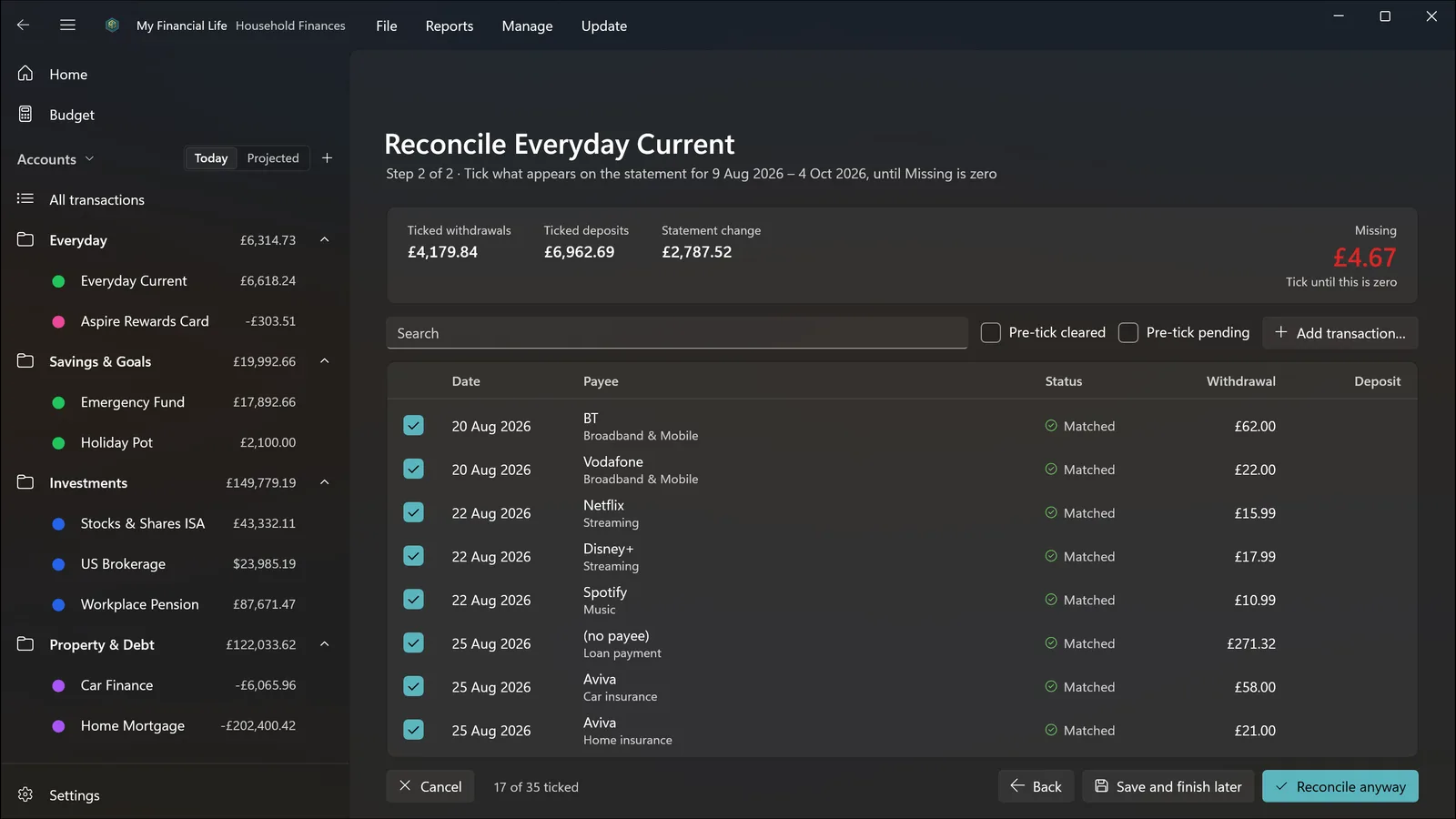
Schedules for regular bills and income, with reminders. Reconcile an account against its statement and tick items off until nothing is missing. Pair up transfers imported from both sides. A Loans page shows what you owe, the payment schedule and when each loan ends.

  • Schedules & reminders
  • Reconcile
  • Pair transfers
  • Loans & payoff dates
Reconciling an account against its statement in dark theme, with items ticked off.

Several currencies

Hold accounts and investments in different currencies, each converted at the rate for the date, so last year’s figures stay right.

  • Accounts in any currency
  • Rate for each date

Safe by design

Automatic snapshots while you work, one-click restore (which takes a safety snapshot first) and named copies you can keep. A file is backed up before it is ever upgraded. You can require Windows Hello when the app opens, and your price and exchange-rate keys are kept in Windows’ own credential store, never in your file.

  • Automatic snapshots
  • One-click restore
  • Named copies
  • Windows Hello lock

Made for Windows 11

Light and dark themes that follow Windows, keyboard shortcuts throughout, open any report or account in its own window, recent files on the taskbar icon, and double-click a file to open it.

  • Light & dark
  • Keyboard shortcuts
  • Multiple windows
  • Taskbar jump list

Every feature, one purchase.

For Windows 11 on x64 and ARM64 PCs. A Mac App Store version is coming later.

Coming soon to the Microsoft Store Getting started